
Engineering 1 TR: introduction to engineering design for transfer students
Welcome to the website for Engineering 1 TR: Introduction to Engineering Design for Transfer Students!
Our course starts off with Basic Training skills-workshops where you will develop your ‘prototyping tool-belt’. Students will be expected to utitlize their Basic Training skills at HAcK, a 36 hour intense hardware and programming competition where teams will design, build, test, and iterate to prepare their prototype for a ‘real-world’ test and judging at the culminating HAcK Competition prototype performance test.
Following the performance test, students will be expected to record a design review presentation and submit it for review from a panel of judges who will score your presentations. Winners will be announced at the HAcK Awards Ceremony which will be hosted on Saturday, August 2, 2025 from 9 – 11 AM on Zoom.
As a UCLA Summer Session course, participants will receive 2-letter graded units for completing the course. For details on the class, expectations, and course dates, please review the course syllabus for more details.
Students selected to participants should have received an email with instructions on registering and enrolling in Engineering 1 TR. Please scroll to the bottom of the page for more information on how to submit your registration.
Welcome to Basic Training & HAcK!

HAcK is designed to provide incoming UCLA Engineering transfer students with an opportunity to ‘get their hands dirty’ on a technical engineering design project; to use their math, science, and engineering concepts; to gain some professional development; and to have some fun.
HAcKers will receive a crash course on engineering design tools that they will use during HAcK’s technical competition. Through this experience you will learn what it’s like to be an actual engineer, better understand the iterative design process, and develop your engineering mind-set!
How will you deal with hardware issues? How will you work with someone physically located in another city? How will you set benchmarks to ensure you complete a working prototype in time to test and prepare for the real-world prototype performance test? HAcK is designed to challenge you. You will bond with your teammates over these challenges and create some fun memories!
Welcome to HAcK 2025!
Winning teams will be announced at the HAcK Awards Ceremony on Saturday, August 2, 2025 from 9 – 11 AM.


Team SCAM Bots
- Austin Chen – Electrical Engineering transfer from UC Santa Barbara
- Cristian Aguilar – Mechanical Engineering transfer from Mt. San Antonio College
- Moises Sosa – Aerospace Engineering transfer from Riverside City College
- Shogo Toiyama – Computer Science transfer from Foothill College

Team 00Bruin
- Alex Lopez – Electrical Engineering transfer from Pierce College
- Edwin Lin – Electrical Engineering transfer from Ohlone College
- Hasti Salsali – Computer Science & Engineering from Pierce College
- Tyler Newton – Mechanical Engineering transfer from West Valley College


Team H.A.P.I.
- Abril Zapata – Mechanical Engineering from El Camino College
- Hector Garcia – Mechanical Engineering from Pierce College
- Isaac Harrington – Electrical Engineering transfer from College of San Mateo
- Pearl Wang – Mechanical Engineering from Cerritos College
Congratulations to our 2025 HAcK competition winners and all our HAcK participants!
Time Left at HAcK 2025
Day(s)
:
Hour(s)
:
Minute(s)
:
Second(s)
Monday, July 21, 2025 | 6 – 9 PM (virtual)
Orientation slides
Training Slides
Tuesday, July 22, 2025 | 6 – 9 PM (virtual)
Training Slides
Thursday, July 24, 2025 | 6 – 9 PM (virtual)
Session slides (check back after the session)
Engineering 4 Room 38-138 & Engineering Makerspace (Boelter 1808)
9:00 AM – 9:15 AM – HAcK – Engineering 4 Room 38-138 & 38-138A
9:15 AM – 9:30 AM – Morning debrief – remote participants log on to Zoom
9:15 AM – 1:00 PM – HAcK – Engineering 4 Room 38-138 & 38-138A
1:00 PM – 2:00 PM – Lunch Ackerman Student Union
2:00 PM – 5:00 PM – HAcK – Engineering 4 Room 38-138 & 38-138A
5:00 PM – 6:00 PM – Dinner Ackerman Student Union
6:00 PM – 8:45 PM – UCLA Engineering Makerspace (Boelter 1808)
8:45 PM – 9:00 PM – Evening debrief remote participants log on to Zoom
HAcK Day 2 (in-person or remote) – Thursday, July 26, 2025
UCLA Engineering Makerspace – Boelter Hall 1805
9:00 AM – 9:15 AM – Morning debrief – remote participants log on to Zoom
9:15 AM – 1:00 PM – HAcK Day 2 – Boelter Hall 1805
1:00 PM – 2:00 PM – Lunch – Kerckhoff Courtyard
2:00 PM – 6:00 PM – HAcK
6:00 PM – 7:00 PM – Dinner – Kerckhoff Courtyard
7:00 PM – 8:45 PM – HAcK Day 2
8:45 PM – 9:00 PM – Evening debrief remote participants log on to Zoom
HAcK Day 3 (in-person or remote) – Sunday, July 27, 2025
Engineering Makerspace (Boelter 1805)
9:00 AM – 9:15 AM – Morning debrief – remote participants log on to Zoom + Morning Announcement Slide link
9:15 AM – 1:00 PM – HAcK Day 3 – Engineering Makerspace (Boelter 1805)
1:00 PM – 1:30 PM – Lunch & Group photo – Kerckhoff Courtyard
1:30 PM – 5:30 PM – HAcK Day 3
5:15 PM – 5:45 PM – Dinner, dress for photo-shoot & performance test, & gadget check-in at Engineering Transfer Center (Boelter 6288)
6:00 PM – 9:00 PM – Group photo shoot (remote participants on Zoom), prototype test scoring, field of play.
Teams will go chronologically with Team 1 going first.
Once your team is done with the field of play, return to the Makerspace, and work on your HAcK Feedback Survey. Then pack your things up, put your tools away, dust your table-top, and throw trash away.
9:00 PM – 10:00 PM – When all teams are done, we will debrief, provide you information on your Design Review presentation, file submissions, and the HAcK Awards Ceremony. Then, we will need your help to move tables, put chairs on tables, sweep the Makerspace, and pack-up. Remote participants log on to Zoom
- File submissions,
- Link to recorded footage of your Design Review presentation, and
- Link to your slides
See submission guidelines for more information & submission links.
HAcK Awards Ceremony (virtual) – Saturday, August 2, 2025 | 9 – 11 AM
Session slides
HAcK Teams
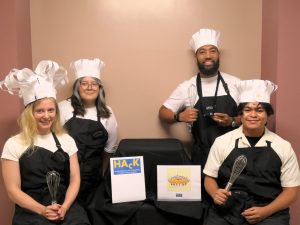
Sweetie Spies
Team 1
Andrew Cardoza – Mechanical Engineering transfer from Long Beach City College
Jennifer Stone – Computer Engineering transfer from Laney College
Julian Laxamana – Computer Science transfer from Clovis Community College
Kaylee Palacios – Computer Science from Cerritos College

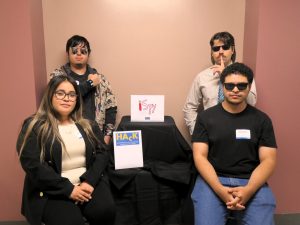
iSpy
Team 2
Alexander Boone – Aerospace Engineering transfer from Palomar College
Andrey Angos – Mechanical Engineering transfer from Los Angeles Valley College
Jovana Rojas – Mechanical Engineering from El Camino College
Onam Hernandez – Electrical Engineering transfer from Pierce College

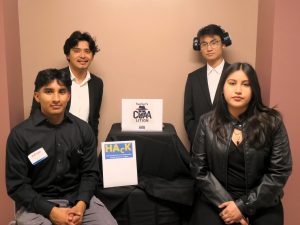
Hacker’s COAAlition
Team 3
Adrian Luna – Mechanical Engineering transfer from Rio Hondo College
Ariana Aceves Sevilla – Aerospace Engineering from Pierce College
Charles Zhang – Electrical Engineering transfer from Santa Monica College
Omar Garcia – Applied Mathematics from Cerritos College
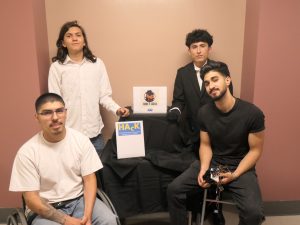
Unit 404
Team 4
Christopher Agraz – Computer Science from Cerritos College
David Cardiel – Mechanical Engineering from El Camino College
Ilia Dehmohseni – Aerospace Engineering transfer from Pierce College
Luke Brainard – Computer Science transfer from El Camino College

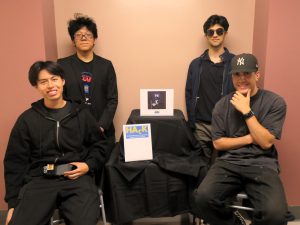
Fabulous4
Team 5
Aweys Kharraz – Civil & Environmental Engineering transfer from Miramar College
Benjamin Perez – Mechanical Engineering transfer from Pierce College
Phone Tshan Kyaw – Electrical Engineering transfer from De Anza College
Rohan Gharibgard – Computer Science & Engineering transfer from Irvine Valley College

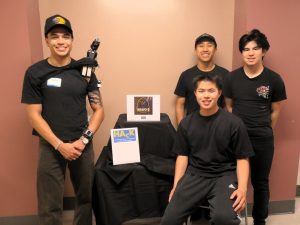
Bravo 6
Team 6
Alex Chavez – Mechanical Engineering transfer from Allen Hancock College
Andrew Nguyen – Mechanical Engineering transfer from Orange Coast College
Michael Heydinger – Electrical Engineering transfer from UC Santa Cruz
Nate Sirivallop – Electrical Engineering transfer from UC Santa Barbara
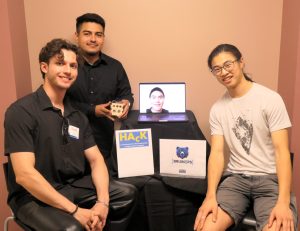
[BruinOps]
Team 7
Brennen Chan – Electrical Engineering transfer from College of San Mateo
Diego Gonzalez – Computer Science transfer from El Camino College
Eugene Ang – Aerospace Engineering transfer from De Anza College
Juan Gutierrez – Mechanical Engineering from El Camino College

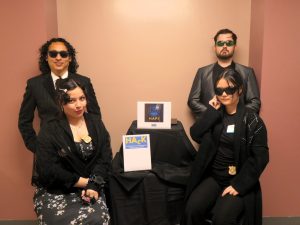
H.A.P.I.
Team 8
Abril Zapata – Mechanical Engineering from El Camino College
Hector Garcia – Mechanical Engineering from Pierce College
Isaac Harrington – Electrical Engineering transfer from College of San Mateo
Pearl Wang – Mechanical Engineering from Cerritos College
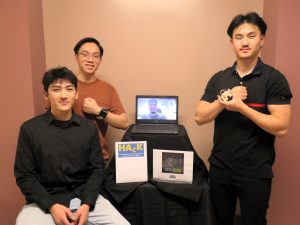
Spy KIds
Team 9
Diego Solano – Electrical Engineering transfer from Ventura College
Enrico De Flavis – Electrical Engineering transfer from Irvine Valley College
Sam Zhang – Mechanical Engineering transfer from Canada College
Scott Ngo – Mechanical Engineering from Pierce College

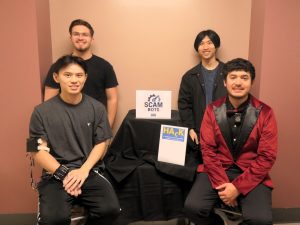
SCAM Bots
Team 10
Austin Chen – Electrical Engineering transfer from UC Santa Barbara
Cristian Aguilar – Mechanical Engineering transfer from Mt. San Antonio College
Moises Sosa – Aerospace Engineering transfer from Riverside City College
Shogo Toiyama – Computer Science transfer from Foothill College
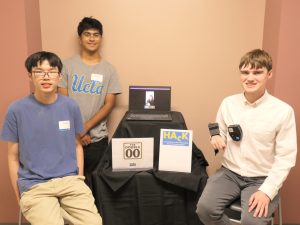
The Double 0’s
Team 11
Amlan Mahapatra – Mechanical Engineering transfer from American River College
Andy Gu – Electrical Engineering transfer from Pasadena City College
Max Reeves – Civil & Environmental Engineering transfer from Saddleback College
Yiska Anastasia – Electrical Engineering transfer from Cypress College

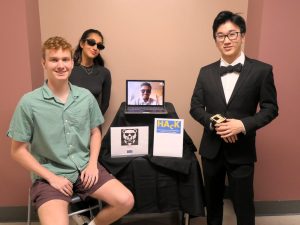
00Bruin
Team 12
Alex Lopez – Electrical Engineering transfer from Pierce College
Edwin Lin – Electrical Engineering transfer from Ohlone College
Hasti Salsali – Computer Science & Engineering from Pierce College
Tyler Newton – Mechanical Engineering transfer from West Valley College
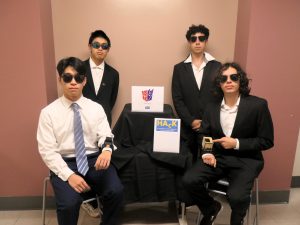
Half Degens
Team 13
Joel Lee – Mechanical Engineering transfer from Cypress College
Nicolas Ruiz – Mechanical Engineering from Pierce College
Ron Cohen – Computer Science from Pierce College
Yit-Meng Chin – Computer Science from El Camino College

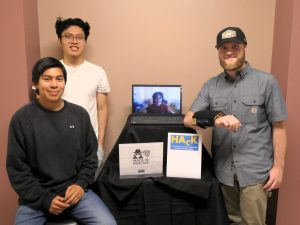
Made in Boelter
Team 14
David Valdez – Electrical Engineering transfer from El Camino College
Everett Gioco – Aerospace Engineering transfer from Gavilan College
Nolan Johnson – Computer Engineering transfer from Folsom Lake College
Steven Ha – Aerospace Engineering transfer from Pierce College

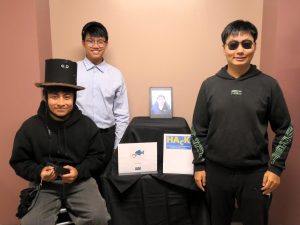
TouchFish
Team 15
Daniel Murillo – Mechanical Engineering transfer from Los Medanos College
Gaurav Kumar – Computer Science & Engineering transfer from Santa Rosa College
Nathan Truong – Chemical Engineering transfer from Cypress College
Zesen Zhang – Aerospace Engineering transfer from Pasadena City College

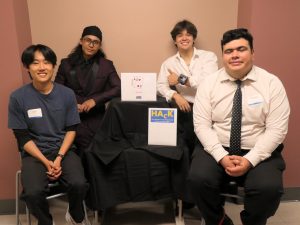
High Card
Team 16
David Vocero – Materials Science & Engineering from Cerritos College
Joji Morikawa – Computer Engineering transfer from College of San Mateo
Owen Wells – Mechanical Engineering transfer from Mt. San Antonio College
Victor Torres – Mechanical Engineering transfer from Modesto Junior College

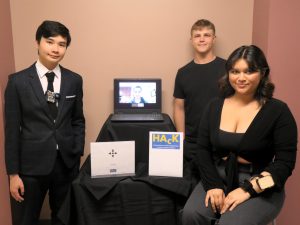
DJ QP
Team 17
Doug Ellory – Computer Science transfer from Diablo Valley College
Jon Mattes – Mechanical Engineering transfer from Los Medanos College
Quang Nguyen – Electrical Engineering transfer from Orange Coast College
Poe Myat Hay Thar – Chemical Engineering transfer from De Anza College

HAcK 2025 Theme
Wes is a famous jewelry collector. His most prized possession, a 500 carat diamond, was stolen just last week by a thief that no one could track down…until now. We’ve confirmed the location of the diamond, and we’ll be sending our HAcKers in to retrieve it. However, we are expecting heavy security, so it won’t be easy finding the jewel. Insider information gave us insight on the security measures they have in place, and you must construct a device that will aid you in deciphering them.
HAcKers will send in one agent equipped with a wearable spy device of their own creation to infiltrate the Secure Base where the diamond is being held. The agent will communicate and send data to their operator (in another room) who will guide the agent by sending messages back to interpret clues, decode information and recover the diamond.
Technical Challenge
You will need to construct a device (or series of devices) that meets the following requirements:
- Your device(s) must attach to the operator without them having to hold or support them with their hands.
- Your device(s) must resemble wearable accessories/articles of clothing, and should be disguised or otherwise discreet.
- Your device(s) must contain/conceal electrical components
- A device must feature your team logo on it
Our intel suggests that your prototype will need to be able to perform the following tasks:
- Your pico must be able to gather accurate temperature and humidity data to analyze the active field environment
- Your pico must be able to measure light levels and determine distances between objects
- Your ESP-32 cam must be able to take photos that save to the operator’s laptop
- All collected data must be sent to the operator at the bay station for further decoding/analysis
You must also create a website for your operator at the bay station to use:
- Your website must operate the camera, deciding when to take a picture
- All data received from the agent must be visible on the website (Temperature in F, Distance in cm, Humidity %, Light in lumens)
- Your website must be able to make api calls to our supercomputer back at HQ (ChatGPT) in order to audibly decipher any additional unknowns
- The results of your api calls must also be viewable on the website
- Your website must be able to communicate information from the operator to the agent in the field
- All code must be uploaded to a GitHub repository and be properly updated.
- You must create and save a CAD for each part of your design.
- You must maintain a simple schematic of your circuits that contains the wiring route and the electrical components used.
Scoring & Judging
Each team will be scored on the following items:
- 20% – A controlled performance test of your gadget through individual testing stations.
- 25% – A real-world performance test of your gadget through our field of play
- 15% – Submission of your code to a GitHub repository, CAD files, and circuit schematics.
- 40% – Submission of a recording of your design review presentation.
Details on each of the aforementioned items can be found below.
Prototype Performance Testing
The Field of Play


sssensoEssentially an escape room, the field of play will test your gadget’s real-world ability to enable you to retrieve the diamond. As agents, your team’s job is to infiltrate the Secret Base, a mysterious room where a precious diamond worth millions is hidden. Your team will have no more than 15 minutes in the Secret Base to find and retrieve the stolen diamond undetected. Operations will begin at 6:00 PM on Sunday, July 27, 2025. Teams will need to sign-up for a time slot in this sheet.
Specific Instructions:
Check-in & photos
- Teams must arrive at 6288 Boelter Hall 5 minutes prior to their scheduled time
- Teams can earn bonus points if all members make an effort to dress up like spies!
- Each team will have photos taken of:
- Their gadget
- The team with their gadget (please bring a laptop and have your remote teammates on Zoom so they can be included)
- Once photos are taken, your team will enter the Secret Base– no access to phones nor bathroom breaks will be allowed after this point
Testing Stations
- Stations to test and calibrate your sensors will be made available to you throughout HAcK
-
Your program should be able to take a photo of an image and then be able to answer the following questions:
Cactus – what is it, describe the room
Mount Rushmore – what is it, where is it
Starry Night – what is it, who painted it
Potatoes – what is it, are there a lot?
- One of these images will be used in the final test
- A final test, which will include a score, will occur during operations right before entering the Field of Play
Performance Test in the Field of Play
- Your team will have a choice of how to split up:
- Agents: This team members will infiltrate the Secret Base using the gadget to solve numerous clues and find the diamond
- Operator(s): This team member will remotely aid the spies from another room, processing information relayed to them from the spies’ gadget.
- Keep in mind:
- You must have at least one agent and one operator.
- We recommend that your operator be comfortable with coding
- The operators will be able to see and hear the agent in the Secret Base through a security camera but are unable to verbally communicate with your agent.
- Your agent and operator need to work together to solve clues. It is important that your gadget allows valuable information and data to be relayed between the two.
- There are two identical Secret Bases which will accommodate two teams to run through the Field of Play at a time. Please follow instructions provided by your mentors so you enter the correct room.
- Once your time is over, you can return to the Makerspace and start cleaning-up your space & returning tools.
- The amount of points you earn will be proportional to the amount of challenges you complete in the Secret Base.
- Point deductions:
- Throughout the challenge, you may ask for hints. Hints may be used as guidance or to bypass puzzles you cannot complete. Example: If you did not install a temperature sensor then you can bypass challenges that involve that sensor. Keep in mind that points will be deducted with every request for a hint or bypassing a challenge.
- If the design of your gadget does not allow for proper communication, we will allow your operators to enter the Secret Base. However, again, there will be big deductions for this.
Good luck!
File submission guidelines – your code to a GitHub repository, CAD files, and circuit schematics.
The HAcK mentors will be evaluating and scoring your submissions on technique and clearness. Your goal is for mentors to be able to reproduce your creation.
Your submission will be in the form of a link to a single github repository, structured as follows.
Code
- All code used must be uploaded. Make sure to include any python files on your pico.
- Code should be readable, but you will explain its functionality in your design review presentation
CAD files
- Include any parts or assemblies as solidworks files in a separate folder also in your github repository.
- Your CAD will be graded on how close it is to your real project
Circuits schematics
- Include your circuits schematic as a file in a separate folder.
- The schematic can be hand drawn or computer drawn.
- Your schematic should be easy to follow and well labelled with voltages and resistances where applicable.
Please use the following link for submission: https://forms.gle/embepQBDJe9eo95d8
Your files are due – Tuesday, July 29th, 6:00 pm
Design Review Presentation guidelines
All teams will create a Design Review presentation, a ten-minute recorded video that will be reviewed by our panel of HAcK judges. Your team is responsible for explaining your design process from start to finish including iterations, showcase relevant CAD models and code snippets, show your website, and demonstrate their final device’s performance. You must use a slideshow to keep your presentation in your video.
This recording will be provided to our HAcK judges to score. Please find the guidelines and submission instructions below:
- Presentations need to include:
- Introductions (your team name and team-members).
- Your sub-teams or how you broke-up the work.
- A brief summary of your design approach.
- Mechanical Components: Discuss the mechanical aspects of your design, including the structure of your CAD and any moving parts or design choices.
- Electronics and Schematics: Provide a detailed overview of the electronic components and their schematics.
- Code: Present the code developed for your project, explaining its role in controlling the various systems (ex: camera, api calls, sensors). Include a demo/screenshots of your website.
- Challenges you faced, including at least one significant failure and how you addressed it.
- Any iterations you made on your design.
- Include an overview of your design, as well as pictures and recorded footage of your gadget in the field of play.
- Next steps if you had more time.
- What you would do differently if you were to do it all over again.
- What did you learn from this experience.
- Presentations can be no longer than 10 minutes in length. Any teams going over the 10 minutes will be DISQUALIFIED!
- All team-members must present equally.
Judges will be scoring your presentation-only. Points will be awarded in the following categories:
- Aesthetic and complexity of your gadget
- Included content (from the list above)
- Technical speak in the explanation of your design approach, gadget, and iterations.
- Slides
- Bonus points for role-play (dressing-up, etc.)
Submission guidelines:
- Video recording – Teams will need to upload their video (YouTube, etc.) and provide a link to your video. Please make that your recording is accessible (available to anyone that has the link). Teams will not receive points for their recording if judges are unable to view the recording.
- Slides – please save a .pdf of your slides. Name the file with your team name.
- Upload your recording link and the file of your slides here – https://forms.gle/pU9H5FBA5zzdxGvf6. This is due Tuesday, July 29, 2025 at 6:00 PM.
HAcK Judges



Elizabeth Cheung
Mathematics, Engineering, and Science Achievement Director
Pierce College
Ethan Lai
Pre-OPS – IEEE Outreach Chair
Kexin ‘Kat’ Chen
2024 HAcK Winner
Joshua Burpee
Pre-OPS – IEEE Outreach Chair

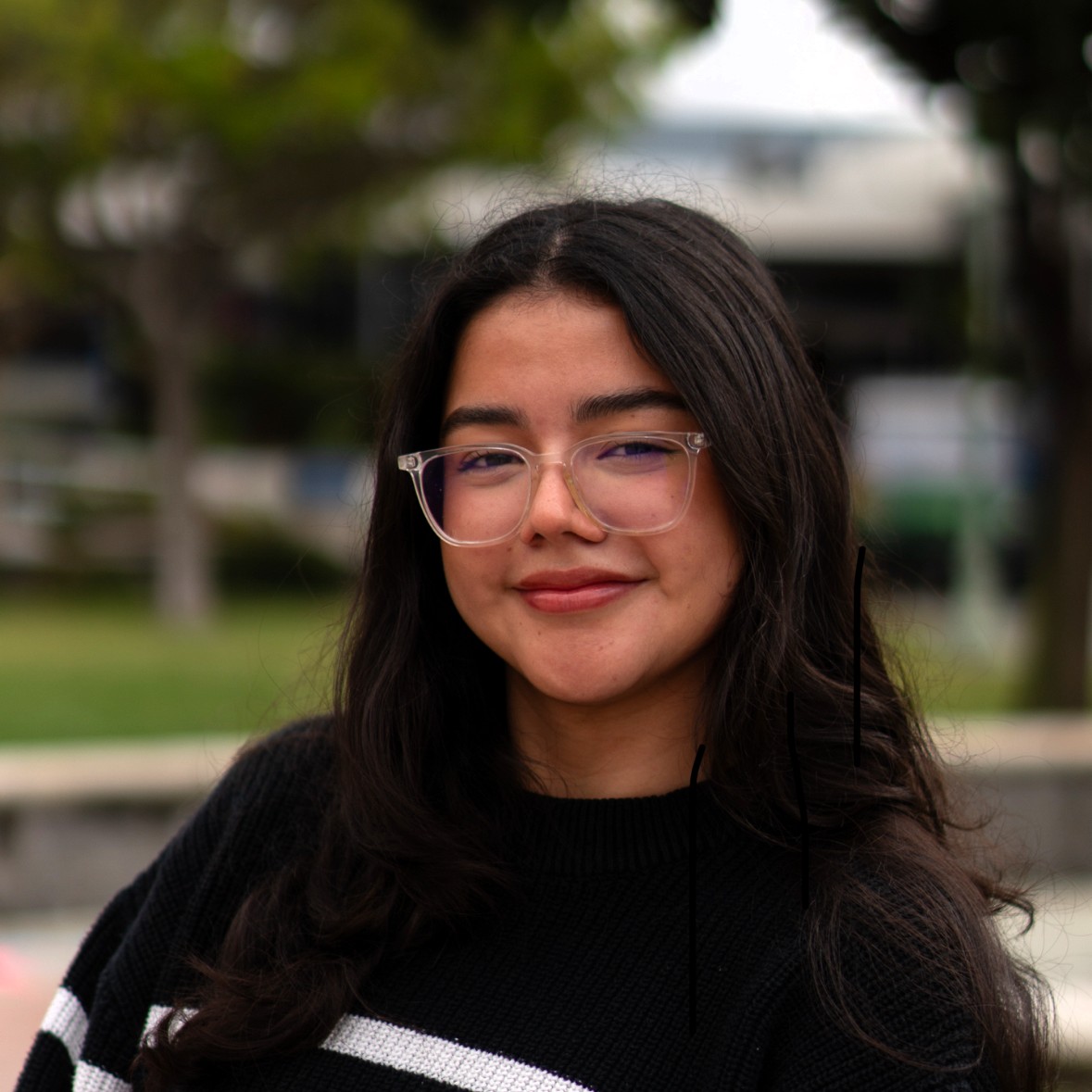
Mauricio Robles
Mathematics, Engineering, and Science Achievement program
El Camino College
Sharlize Lemus
2024 HAcK Winner
Parts, supplies & materials
Details will be announced at the HAcK Reveal on Thursday, July 24, 2025.


Parts and supplies schematic
Parts list with vendors
Additional supplies available at the Makerspace – fabric, acrylic, and wood
API Tokens:
Each team will be provided with their own unique OpenAI API key to use during the hackathon which gives you access to OpenAI’s services. This will be distributed in your team discord channel. To keep things fair and manageable, each team has a soft spending limit of $5 (which should be more than enough), meaning you’ll get a warning around that point, and a hard cap of $10, which will completely stop further usage. Experiment, test, and iterate thoughtfully; use your credits wisely!
Black Boxed Resources
Along with when you receive your materials, we will be providing you with starter code that contains a basic frontend, a functional backend (you will need to update the MQTT information), some python files to add to your pico, code and instructions to help you program your ESP-32 camera, and some starter code for making API calls. Note that we do not give you all the necessary code for the electrical components; you will need to research your devices online for libraries to program your devices.
Campus wireless network information for wifi
Wireless network for HAcK prototypes (set-up for HAcK)
1st Floor Makerspace –
- HAcK-Project-WiFi-1
- UCLA.HAcK.2024.Summer
2nd Floor Makerspace –
- HAcK-Project-WiFi-2
- UCLA.HAcK.2024.Summer
Field of Play – Secure Base 1 & 2 in the Engineering Transfer Center (Boelter 6288)
- bruins
- connect12
Makerspace Tools & Equipment
Students are NOT allowed to use their personal equipment or supplies.
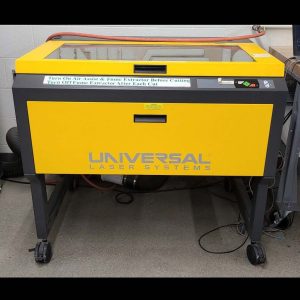
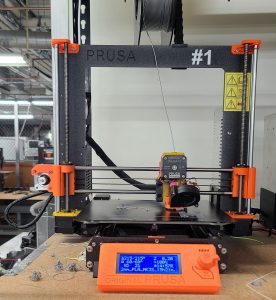
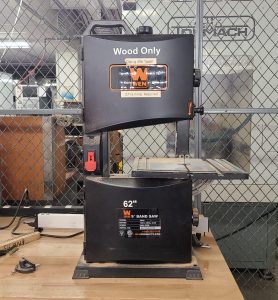
Laser-cutter
Located on the first floor. Do NOT operate the laser cutter unsupervised. If you have parts that need to be cut, contact any mentor available and they will help you to cut your part.
3D Printers
Located on the 2nd floor. If you have parts that need to be 3D printed, contact any mentor available and they will help you upload your file and start your print job. Please be mindful of the time it will take to print your part.
Band saw
-
-
- Find a mentor to supervise your work.
- Your mentor will bring the Band Saw key to the machine and place it in once you are ready to work.
- Adjust the upper guard assembly to within 1/4 inch of the stock prior to starting the
machine. - Use a guard as necessary to guide your materials through the blade.
- Locate the push-stick – never push a piece of stock with hands in front of the saw blade. Use a push stick.
Keep hands at a safe distance on either side of the stock being machined. - Be aware of your surroundings and direct others in the area to move away.
- Once you are ready, the mentor will install the Band Saw key into the machine.
- Hold the stock flat on the table prior to starting the cut.
- If the saw blade binds on a piece of stock, turn the saw off and wait until it comes
to a complete stop before attempting to remove the blade from the stock. - Do not allow large quantities of chips to accumulate around the work piece or drill
press table. After stopping the machine, use a brush or rag to remove all excess
chips from the drill press table and stock. - Use the equipment only as intended.
-
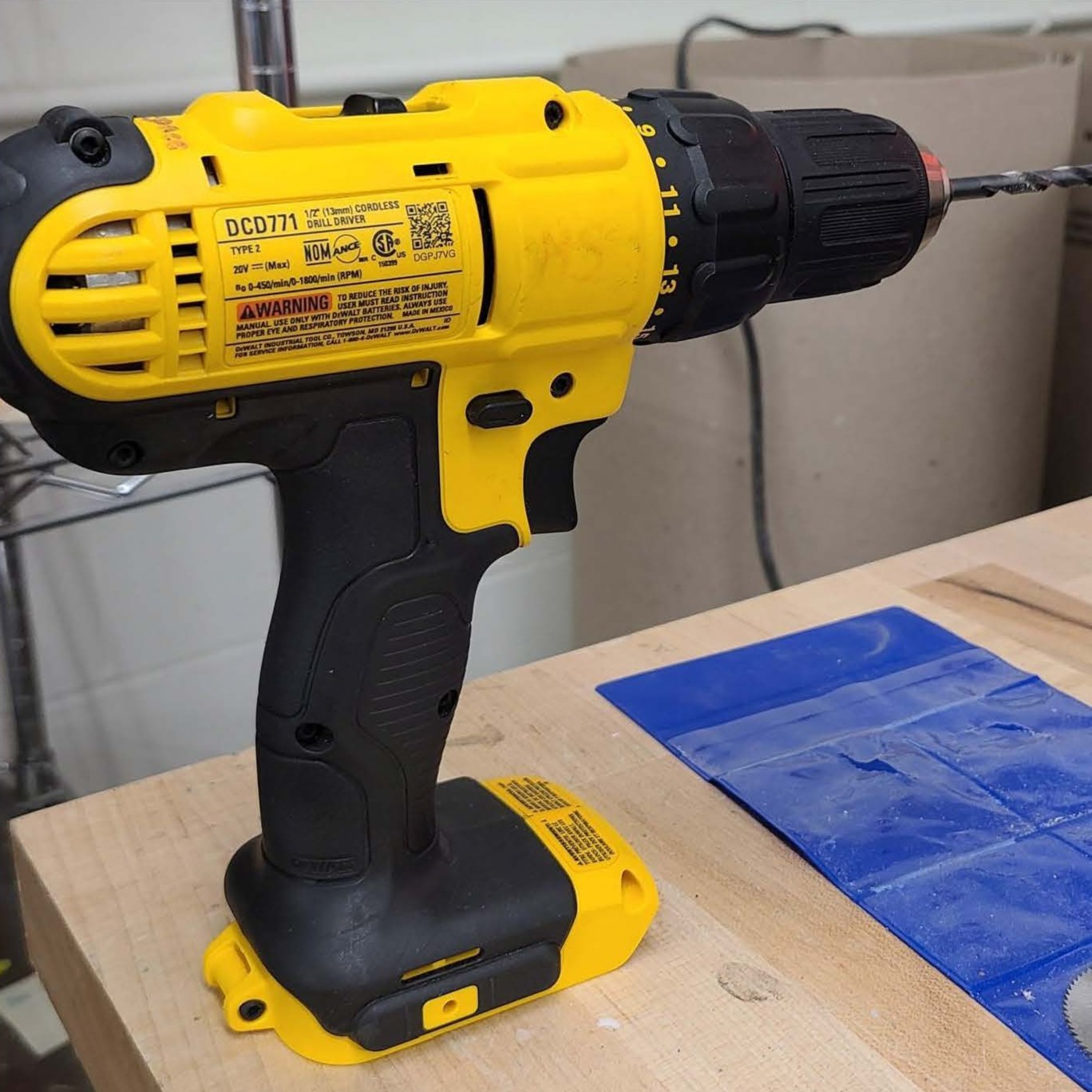
Power drill
-
-
- Secure long hair with a hair tie or hat
- Do NOT wear loose clothing or jewelry. Take off your jacket or roll-up your sleeves.
- Always wear eye protection (safety glasses).
- Find a mentor to supervise your work.
- Collect your power drill, battery, and drill bits (remember where you got things and return it to the correct storage).
- Make sure your drill and drill bits are in good operating order and not damaged.
- Check the work area to make sure it is clear of debris and you have a good area to work.
- Open the jaws of the chuck by turning it counterclockwise.
- Insert the drill bit all the way to the bottom of the chuck; then pull it back about 1/16th of an inch.
- Securely lock the drill bit into the chuck by turning the chuck clockwise. You will hear it click 4 times. Make sure your drill bit is in the center of the jaws of the chuck.
- Once your drill bit is securely locked in the chuck of your drill, then take a moment to familiarize yourself with the power and variable speeds of the drill by pulling the trigger slowly. Increase speed until you are at full-throttle. You will get a feel for controlling the speed of your drill as you make your hole.
- Once your drill is ready, prepare the material that you want to drill through.
- Place a scrap piece of wood beneath the material you want to drill to prevent drilling through the surface of the table you are using.
- When possible, clamp your material down to the table so it is secure while you are drilling.
- Mark the location of the hole on the materiel you want to drill through.
- Check your surroundings and have others move away as you are working so they do not get hurt. Everyone working with you needs to have eye protection.
- Place the point of the drill bit on the mark.
- Push the drill slightly to create a small dent to help drill in the right spot.
- Remove pressure from the drill.
- Pull the trigger to start the drill slowly.
- Put light pressure on the drill.
- As the bit begins to cut, increase the speed of the bit and follow through with consistent pressure as you guide the bit straight through the material.
- Release the trigger to stop the bit from turning.
- Pull the bit out of the wood. It may be necessary to reverse the drill’s direction and pull the trigger to rotate the bit in reverse.
- Clean-up your debris and return equipment to their designated storage location. Please place bits into it’s properly labeled storage.
- Thank the mentor for their help.
- Do NOT break the drill and if it is damaged, please notify Wes or one of the mentors.
-
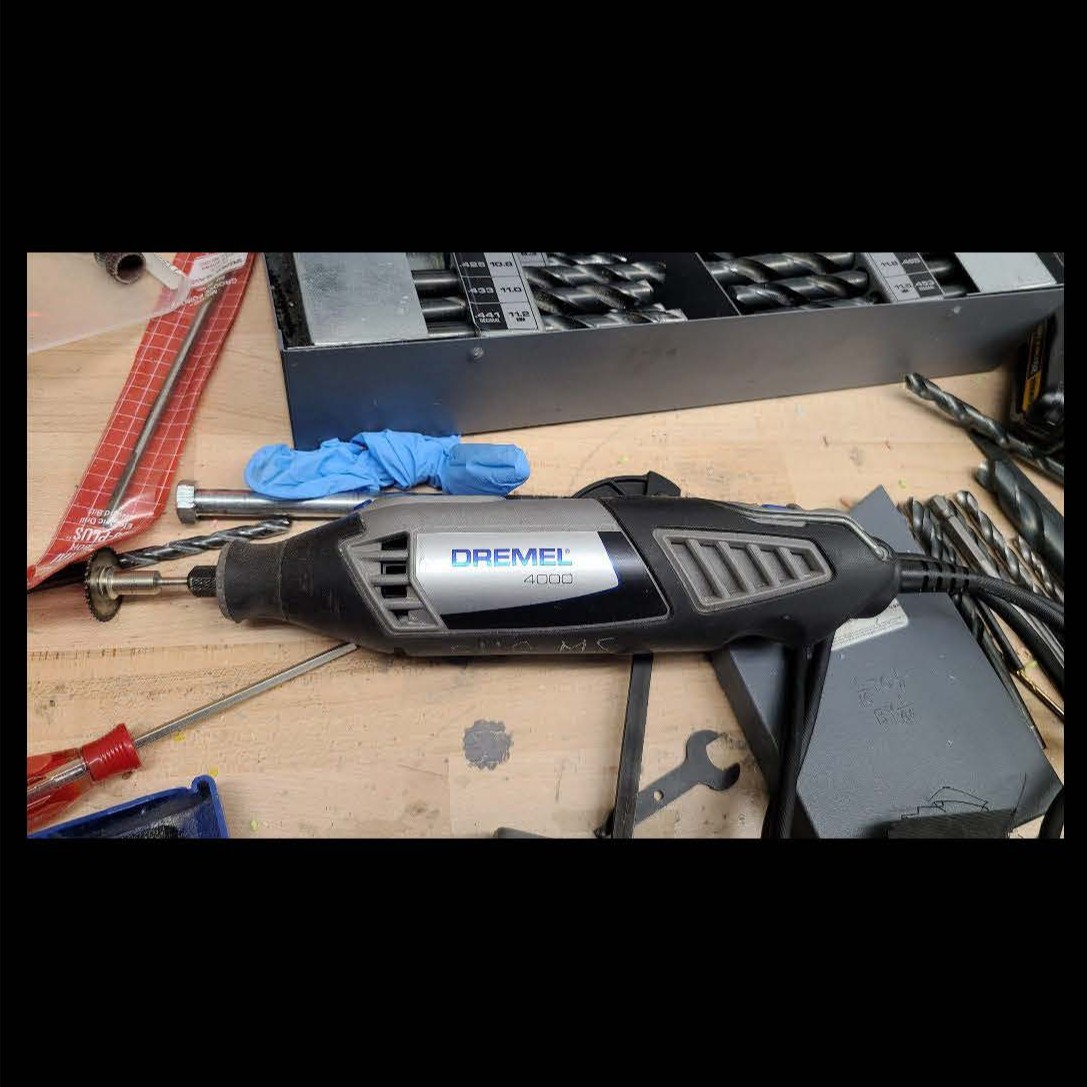
Dremel
-
-
- Secure long hair with a hair tie or hat
- Do NOT wear loose clothing or jewelry. Take off your jacket or roll-up your sleeves.
- Always wear eye protection (safety glasses) and a facemask.
- Find a mentor to supervise your work.
- Collect your dremel, saws, and accessories (remember where you got things and return it to the correct storage).
- Make sure your equipment are in good operating order and not damaged.
- Check the work area to make sure it is clear of debris and you have a good area to work.
- Select the saw or attachments
- Serrated blades are for wood
- Cut-off wheel is used for metal
- Engraving cutter
-
-
-
- Make sure your dremel is unplugged when changing attachments.
- Press the little button on the dremel to lock the chuck nut.
- Use a wrench to turn the chuck counterclockwise to loosen it.
- Insert your accessory or saw all the way into the chuck. Tighten the chuck.
- Make sure your dremel is powered-off before plugging it in.
- Hold the dremel like you would a pen. With your fingers grasping the dremel.
- Make sure the saw or accessory is pointed away from your body and no where near your fingers or body.
- Have others move away from you while you work.
- You might want to practice using the dremel on a scrap piece of wood or material so you can get a feel for controlling the dremel.
- When you are done, make sure the dremel saw or accessory is facing away from your body and shut off the dremel. Hold the dremel until the blade comes to a stop.
- Once it stops spinning, place the dremel down on the table and unplug it.
- Always return the dremel to where you found it after use,
- If you hear a ‘screeching’ sound from the dremel, cease operation immediately.
-
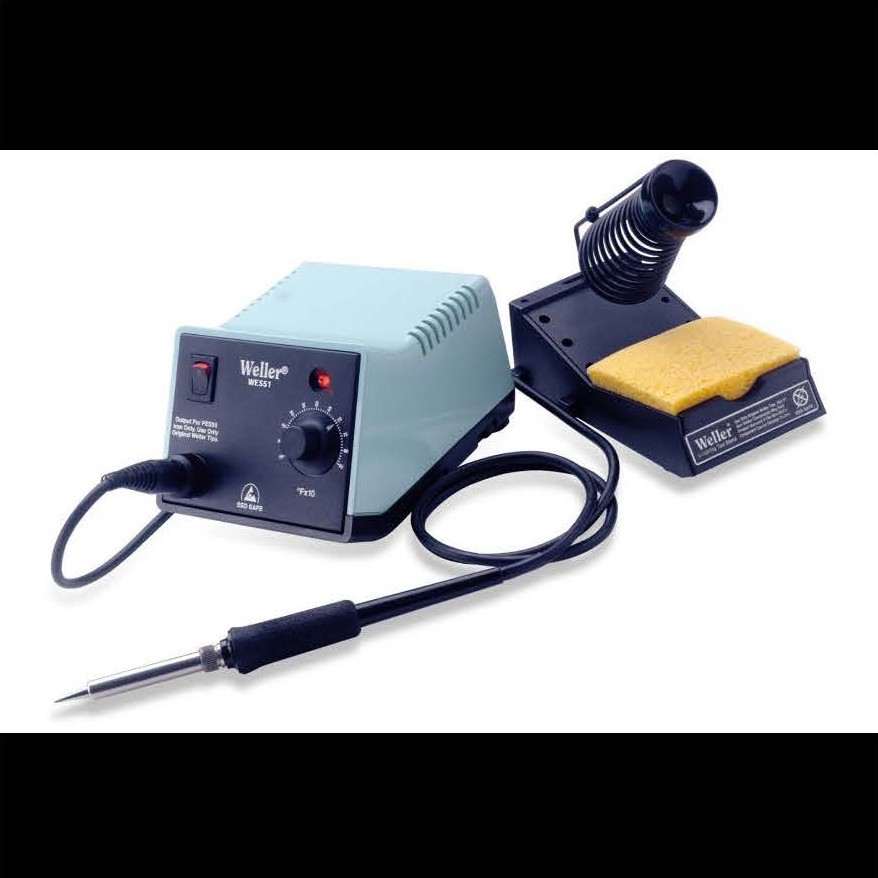
Solder iron
-
-
- Take care to not injure yourself or others,
- Use the equipment only as intended,
- Never touch the element of the soldering iron…it’s 400 C!
- Hold wires to be heated with tweezers or clamps,
- Keep the cleaning sponge wet during use,
- Always return the soldering iron to its stand when not in use. Never put it down on the workbench.
- Turn unit off and unplug it when not in use.
-
In the event of an emergency
Injuries
- Get yourself out of harms-way. Remain calm and assess the situation.
- Turn off equipment and/or unplug it if it is safe to do so.
- If the injured person is conscious, ask them how you can help – never provide unwanted care. Consent is implied if the person is unconscious. Call 911 if necessary.
- Find a mentor and Wes (818) 625-4390.
- Report the situation – all accidents and injuries (no matter how small) need to be reported.
Emergency – 911 (Dispatch) or 310-825-1491 (UCLA PD – when calling from a cell phone)
Ronald Reagan UCLA Medical Center Emergency Department 757 Westwood Plaza, Los Angeles, CA 90095; (310) 825-2111
The Makerspace has a first aid kit with band aids and bandages.
We have ice in the refrigerator.
Fire & evacuation
- Remain calm and get out of the immediate area.
- Pull the fire alarm, exit via the stairs, DO NOT USE THE ELEVATOR.
- Close the door behind you as you leave and all other doors as you exit—doors are built to withstand fire for a period of time—it gives you time to escape.
- If you see smoke under the door, find another way out.
- Feel the door with the back of your hand before you open it. If it is hot, find another way out.
- Drop to the floor to avoid smoke and fumes. Crawl to safety.
- If your clothes catch on fire, STOP where you are, DROP to the ground and ROLL over and over to smother the flames.
- Call 9-1-1 from a safe location.
- If you are trapped in a burning building, stay near a window and close to the floor. If possible, signal for help.
- Report any incident to Wes (818) 625-4390 and the mentors.
In the event of a fire or evacuation, please report to our evacuation site located on Westwood Plaza in front of Engineering 4. Do NOT leave without reporting in so we can make sure everyone is accounted for.
HAcK Prizes

1st place prize – HAcK portfolio, $100 UCLA Store gift card, bragging-rights, and an invitation to be a judge at HAcK 2026.
2nd place prize – HAcK portfolio, $75 UCLA Store gift card, and bragging-rights.
3rd place prize – HAcK portfolio, $50 UCLA Store gift card, and bragging-rights.
Prizes can be picked-up at the eTransfer Welcome on Wednesday, September 24, 2025 from 4 – 6 PM.
What you’ll need at HAcK
Please bring:
-
-
- Your laptop, any adaptors you need to connect to devices (USB-C, etc.), and software used during Basic Training.
- Your multimeter (if functional)
- Writing utensil and notebook to sketch things may be helpful.
- Cool clothing – UCLA has just announced that they are shutting down the HVAC for service.
- Closed-toed shoes and something to tie your hair back if you have long hair – you will not be allowed in the Makerspace if you do not have closed-toed shoes.
- A water bottle (no bottled-water will be provided at HAcK).
- Lunch, dinner, and snacks as you need (no refrigeration provided).
- Clothing and costuming for your group photo before the Performance Test on Sunday.
-
-
-
- Students will NOT be allowed to bring in or use personal hardware components or use their personal equipment (3D printers, etc.) unless otherwise specified. These provide an unfair advantage to teams with members who are familiar with or have access to tools that other participants do not. Teams run the risk of being disqualified. Please check with a mentor when in doubt.
- Use of outside software or libraries is allowed (provided that it is freely available online) for design analysis or algorithm enhancement. However, Mentors will NOT provide training for any software other than the ones mentioned previously in workshops.
- Loosely-fitted clothing that can get caught in tools.
-
Rules of engagement
To preserve the spirit of good sportsperson-ship, and to keep the challenge interesting and meaningful, teams will be required to follow a list of requirements outlined below.
-
-
- Be respectful of others and your teammates.
- Communicate with your teammates regardless of participating in-person or remote. Please make sure to communicate work and team meeting times with remote participants.
- Each member MUST contribute to the project.
- DON’T bring food or drink into the Makerspace, please eat outside. Water is allowed.
- Please clean up after yourself and return all tools to where you found them. We will shout-out, ‘CHAIRS’ at the end of the day. This is a signal to stop working, put your tools away, throw trash away, and get ready to leave.
- Please SLEEP (recommended at least 6 hours per 24 hour period).
- The project prototype must be left at the Makerspace at the end of each day. Teams CANNOT work on the prototype after HAcK ends for the day. However, teams are ALLOWED to work on CAD, coding, and other aspects on their own time.
- When using AI, don’t have the AI do it for you! It is great to use it as a companion for coding syntax, etc. But don’t have it do the whole project for you!
- In-person participants – please be on time and ready to work. Please put on your name tag each day and inform a mentor when you leave for the day.
- Try your best, learn lots, and HAVE FUN!
-
Team Registration & Photo-shoot
-
-
- Team name
- Team logo – your logo must be 2 x 2 inches max. Canva is a great resource to use. Have fun with this; but, keep in mind that it will be published and shared with judges and donors. Please save your file using your team name_logo. For example – BruinHackers_logo.jpg.
- Team photo – all members must be in the picture along with your team name in the image. Images should be high-resolution (300 dpi) and square (2 x 2 inches). Please save your file using your team name_photo. For example – BruinHackers_photo.jpg.
-
Communication & fun-stuff!
Sustenance at HAcK
Please be prepared to arrange your own accommodations if you do not see what you would like to eat below. Refrigeration is NOT available.
Friday, July 25, 2025
Lunch – Subway box lunches – turkey, Italian BMT, cold cut combo, and roast beef sandwiches
Dinner – Panda Express
Saturday, July 26, 2025
Lunch – Chipotle burritos
Dinner – Ono Hawaiian Barbecue
Sunday, July 27, 2025
Lunch – El Pollo Loco
Dinner – Dominos Pizza
Snack Barn – We will stock a small amount of snacks and drinks in the snack barn. Please plan to bring your own snacks if you want something specific. When taking a beverage from the refrigerator, please replace it to keep the refrigerator stocked with cool drinks. Also, we will have a jug of water in the Makerspace starting on Saturday morning. Please bring your own reusable water bottle.
Directions & parking
-
- Friday, July 25, 2025
- 9 AM – 5 PM – Engineering 4 Room 38-138 (3rd floor)
- 5 – 9 PM – UCLA Engineering Innovation Lab MakerSpace (Boelter 1805)
- Saturday, July 26, 2025 & Sunday, July 27, 2025, 9AM – 9 PM, UCLA Engineering Innovation Lab MakerSpace (Boelter 1805)
- Friday, July 25, 2025
Address to use for navigation:
- Engineering 4 – 420 Westwood Plaza, Los Angeles, CA 90095.
- Boelter Hall – Use the address for Engineering 4 (420 Westwood Plaza, Los Angeles, CA 90095). Boelter Hall is located directly behind Engineering 4.
- Engineering 6 – 404 Westwood Plaza, Los Angeles, CA 90095
Directions to Parking Structure 8: Take the Wilshire exit off the 405. Head east (or away from the ocean) off the freeway. Turn left on Westwood Blvd (~ the 3rd traffic light). Westwood Blvd turns into Westwood Plaza after Le Conte Avenue. Continue on Westwood past the UCLA hospital. The entrance to the roof top of Parking Structure 8 will be at the traffic light after the intersection of Westwood and Charles E. Young Drive. This is just before the UCLA parking kiosk that is located in the middle of the road on Westwood Plaza. If you pass Strathmore, you have gone too far. Take the ramp up to the roof top and look for a pay by the hour stall on the roof top.
Parking in Parking Structure 8: Parking is $15. Go to the parking kiosk and follow the directions on the kiosk to purchase your parking pass. For information please visit the UCLA parking website: https://transportation.ucla.edu/campus-parking/visitors.
Walking Directions to the Engineering 4 Room 38-138 (Friday): Locate Engineering 4 (420 Westwood Plaza, Los Angeles, CA) which is at the intersection of Westwood Plaza and Strathmore Place. Enter the building at the entrance facing Westwood Plaza. Take the elevator to the 3rd floor. Exit the elevator, turn left, and look for the signs for HAcK.
Walking directions to Ackerman Student Union from Engineering 4: Take the elevator down to the first floor. Exit Engineering 4 onto Westwood Plaza and turn right. Walk past Engineering 6 and turn right. There is a stairwell between Engineering 6 and Ackerman Student Union. Take the stair well to the first entrance on the left side. Food will be set-up on the patio outside Carl’s Jr.
Walking directions to the MakerSpace from Westwood Plaza: Locate Engineering 4 (420 Westwood Plaza, Los Angeles, CA) which is at the intersection of Westwood Plaza and Strathmore Place. This is diagonally across the intersection from Parking Structure 8. Walk clockwise around Engineering 4 (between Engineering 4 and 5). The building behind Engineering 4 is Boelter Hall. The MakerSpace is located on the ground level. Look for the HAcK sign near Room 1805. The MakerSpace has two locations. One in Boelter 1808 on the first floor. The second in Boelter 2808. To access the 2nd floor, you will need to walk counter-clockwise around Boelter Hall. You will see a long stairwell after you turn the first corner around Boelter Hall. Turn left at the first hallway into the courtyard. Boelter 2808 is located on the left after you enter the courtyard.
Walking directions from the Makerspace to Engineering 6 Breezeway: From the 1st floor Makerspace room, walk towards Westwood Plaza and turn right. Engineering 6 is located at 404 Westwood Plaza, between Engineering 4 and Ackerman Student Union. Enter the first floor of Engineering 6 to the Breezeway (lobby).
Walking directions to the Field of Play in Engineering Transfer Center (Boelter 6288) on Sunday – Exit the first floor Makerspace and turn right. Enter Boelter Hall on the north side. Take the elevator up to the 6th floor. Exit the elevator and turn right. Walk down the corridor until you come to a ‘T’ and have to turn. Turn right and walk halfway down the corridor. You will see the sign for HAcK.

Students are expected to attend all sessions. We need students to learn concepts from each session in order to create teams for HAcK. Your grade will also be impacted for missed sessions. Please email Wes Uehara, wuehara@seas.ucla.edu if you need to miss a session due to an unexpected circumstance, have a conflict with an exam, or UCLA’s New Student Orientation.
Instructor: Matthew Lee
Tuesday, June 24, 2025 | 6 – 9 PM
Session slides
Instructor: Jason Wan
Wednesday, June 25, 2025 | 6 – 9 PM
Session slides
Instructor: Matthew Lee
Thursday, June 26, 2025 | 6 – 9 PM
Session slides
Instructor: Jason Wan & Matthew Lee
Friday, June 27, 2025 | 6 – 9 PM
Session slides
Instructor: Andrew Lemus
Monday, June 30, 2025 | 6 – 9 PM
Session slides
Instructor: Kevin Brown
Tuesday, July 1, 2025 | 6 – 9 PM
Session slides
Instructor: Andrew Lemus
Wednesday, July 2, 2025 | 6 – 9 PM
Session slides
Instructor: Kevin Brown
Monday, July 7, 2025 | 6 – 9 PM
Session slides
Basic Training parts
Students will need parts for the circuits and microcontroller workshops. Domestic students will receive their parts via USPS to the address you provided through your registration form. International students will need to purchase their own supplies. Please see the parts list and schematic below:
Basic Training parts list for circuits & microcontroller workshops
Parts schematic
Instructor: Jerard Agravante
Tuesday, July 8, 2025 | 6 – 9 PM
Session slides
Annotated Slides
Extra Slides
Instructor: Kevin Brown
Wednesday, July 9, 2025 | 6 – 9 PM
Session slides
Instructor: Jerard Agravante
Thursday, July 10, 2025 | 6 – 9 PM
Session slides
Annotated Slides
Instructor: Brian Tan
Friday, July 11, 2025 | 6 – 9 PM
Session slides
Instructor: Brian Tan
Monday, July 14, 2025 | 6 – 9 PM
Session slides
Instructor: Brian Tan
Tuesday, July 15, 2025 | 6 – 9 PM
Session slides
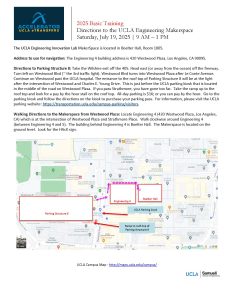
Instructor: All instructors
Saturday, July 19, 2025 | 9 AM – 1 PM
UCLA Engineering Makerspace (Boelter Hall 1805) – hit the link for driving, parking, and walking directions
We highly-encourage students attending HAcK in-person to attend this training! Session will NOT be recorded.

Electrical Engineering
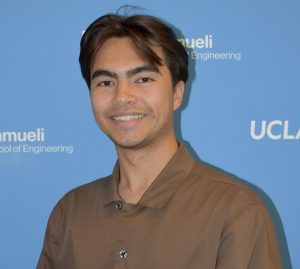
Meet Andrew...
I look forward to meeting you all and seeing your creativity in action!

Electrical Engineering
Transferred from De Anza College
Meet Brian...

Computer Science
Meet Jason...

Electrical Engineering
Meet Jerard...
Additionally, I have explored machine learning and computer vision as the project lead of IEEE Pocket Racers and worked with FPGAs, digital signal processing, and game creation in IEEE DAV. I am also the President of the Engineering Society at UCLA where we help the School of Engineering as a whole. I am excited to work with all of you and do research this summer.
Outside of academics, I like staying active by running and playing basketball and tennis. Discovering viewing spots with my friends always leads to some fun adventures. I enjoy bingeing on food and a good anime as well. Looking forward to getting to know all of you!
Electrical Engineering
Transfer from Moorpark College
Meet Kevin...

Computer Science
Transfer from Skyline College
Meet Matthew...
I look forward to meeting you all!
Engineering 1TR – Basic Training & HAcK Registration
For students that received an invitation to participate-only.
To complete your registration, please review and complete the following by Friday, June 20, 2025.
- Fill out and sign your Accelerator Administrative forms (click this link) Your forms include:
- Activities Waiver for all Basic Training & HAcK activities
- Elective Voluntary Activities Waiver for all activities that you participate in connection to your formal Basic Training & HAcK activities
- Publicity Release
- SEASnet User Account Policy
- Save your signed forms, into one .pdf file, using your first name, last name, and the word forms. For example – JoeBruin_forms.pdf.
- Prepare a photo of yourself that is focused on your face. Please make sure the photo is print resolution and edit the photo to be a square 2″ by 2″ image. Save your photos with your FirstnameLastname_foto.jpg. For example – JoeBruin_foto.pdf.
- Complete your registration and upload your files through the Engineering 1 TR Basic Training & HAcK registration form – due asap and no later than Friday, June 20, 2025.
Basic Training & HAcK participants, you will also need to complete and submit the following as soon as possible and no later than Monday, July 7, 2025:
- Complete the UCLA Environment, Health, & Safety (EH&S) Lab Safety Fundamental Concepts online training. This course is required of all UCLA Engineering students who are working in a lab or the UCLA Makerspace. For instructions, please review the following:
- Click this link to access the UCLA EH&S training website, called WORKSAFE
- Log-on using your UCLA LogOn ID or follow the links to get help.
- In the search bar, located in the upper-right corner, type the code LSFC (Lab Safety Fundamental Concepts) and hit the search icon.
- Click the Lab Safety Fundamentals course on the screen and begin the training.
- Complete the course by taking the quiz and save your certificate of completion by hitting the icon to Print your Certificate.
- Complete the UCLA Environment, Health, & Safety (EH&S) Shop Safety online training.
- Click this link to access the UCLA EH&S training website, called WORKSAFE
- Log-on using your UCLA LogOn ID or follow the links to get help.
- In the search bar, located in the upper-right corner, type the words ‘Shop Safety’ and hit the search icon.
- Click the Shop Safety course on the screen and begin the training.
- Complete the course by taking the quiz and save your certificate of completion by hitting the icon to Print your Certificate
Save your files as follows:
- Lab Safety Fundamental Concepts completion certificate as a .pdf with your first name, last name, and the acronym ‘LSFC’. For example – JosieBruin_LSFC.pdf.
- Shop Safety completion certificate as a .pdf with your first name, last name, and the word ‘shop’. For example – JosieBruin_shop.pdf.
Upload your files to the 2025 Basic Training & HAcK – safety training certification submission form.
Please email the eTransfer Center for additional questions or concerns at etransfercenter@hsseas.ucla.edu.